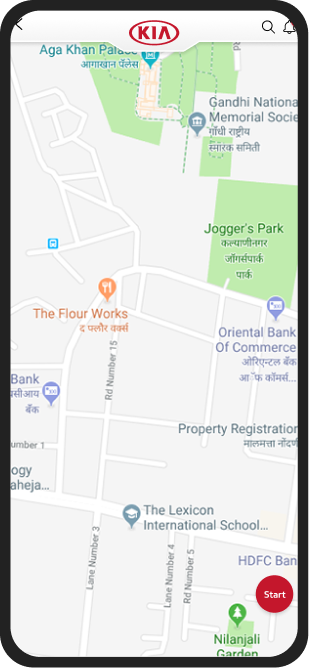
KIA My Sales
An Android app for dealers and sales teams to lookup KIA's product catalog, keep up with customer leads, follow-ups, test drives, and bookings — shipped in 3 months with 17 design iterations.
Role
Sole Designer (Intern)
Team
Solo design +
Android dev team
Tools
Figma, Zeplin, Android Studio
Timeline
3 months
TL;DR — The Outcome
What shipped
- Shipped a live production app in 3 months, 17 design iterations
- Rated 4.5★ on Google Play with 4/5 user satisfaction
- Used daily by KIA dealership staff across India
My role
- End-to-end: research, wireframing, visual design, prototyping
- Worked under mentorship of the Founder as an intern
Timeline
3 months (KIA launched in India 2019, project within 2019–2022 tenure)
01 — Context
When KIA entered India
in 2019
They weren't just launching cars — they were building an entirely new dealer ecosystem from scratch. That meant a full digital suite: customer-facing apps, internal management tools, and everything in between.
Yes, that's the old KIA logo.
If you're wondering why this case study features KIA's previous branding — good eye. This project predates their dramatic rebrand.
Designing during a brand transition turned out to be one of the more interesting constraints of this project.
The new KIA logo
Now, let's get into it.
The Challenge
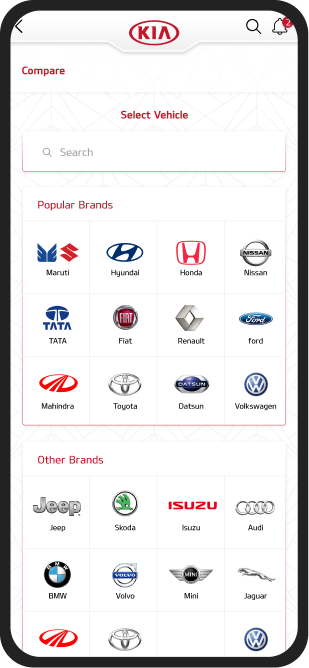
Design a mobile tool that empowers KIA sales consultants to manage customer relationships end-to-end — tracking leads, scheduling test drives, browsing the product catalog, and comparing vehicles against competitors, all from their pocket.
Target Audience
KIA dealership sales consultants — people who split their day between the showroom floor and their phones. The app also needed a customer-facing mode for moments when a salesperson hands their device to a prospect.
My Role
Sole designer, owning the full design lifecycle:
- User research
- Wireframing
- Visual design
- Prototyping
This was early in my career — an internship under the company's founder. The scope was big for an intern, and that's exactly what made it formative.
Translating Business Requirements
into Design Constraints
KIA came to the table with a detailed feature list and firm expectations. The mobile form factor was non-negotiable. Rather than seeing rigid requirements as limitations, I treated them as guardrails — the design challenge became: how do you make a dense, feature-heavy app feel intuitive on a small screen?
Information Architecture
With this many modules — leads, catalog, comparisons, bookings, notifications — a clear IA was critical before touching any screens. I mapped the entire app structure to ensure every flow had a logical entry and exit, and that the navigation model could scale as KIA added features.
02 — Research
Guerrilla research, dealer-style
KIA hadn't launched in India yet...
Which meant there were no KIA salespeople to interview. So I got creative.
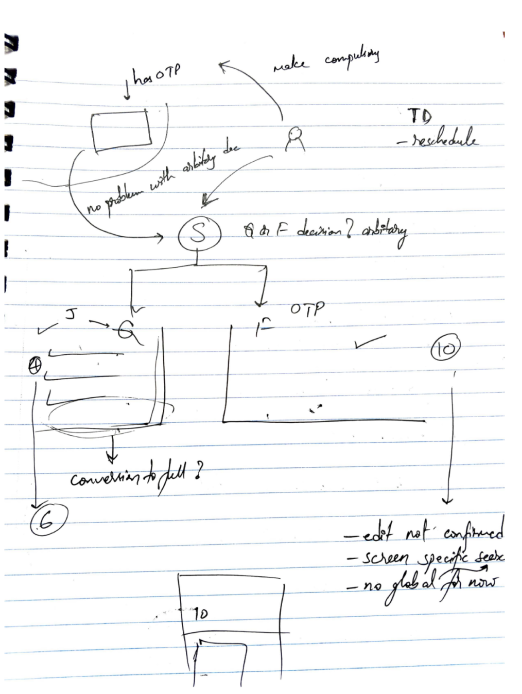
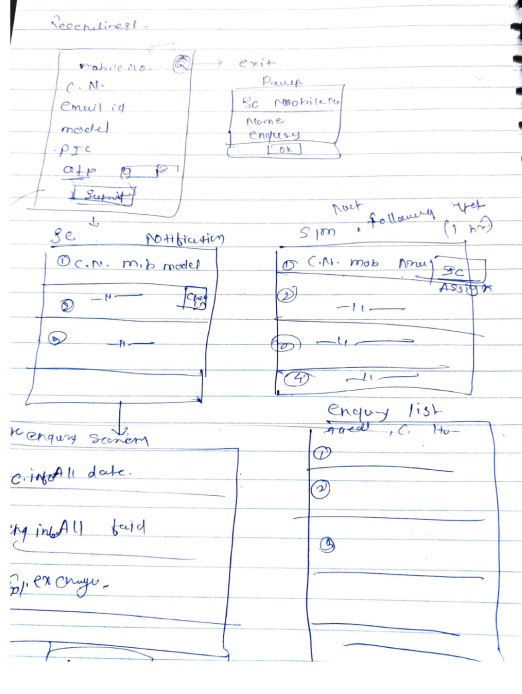
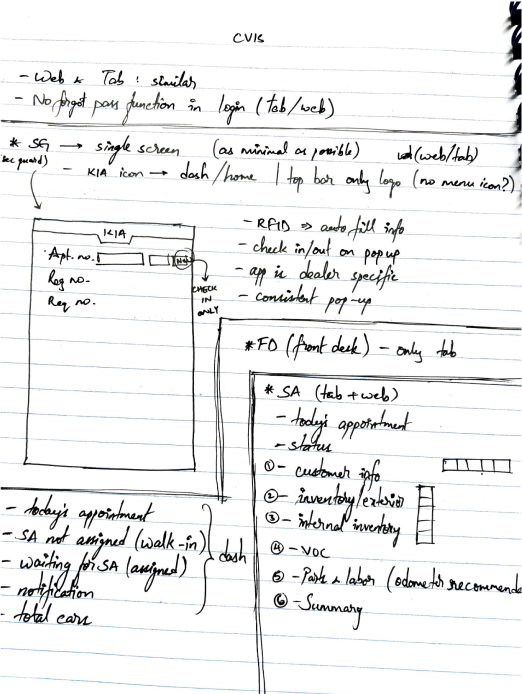
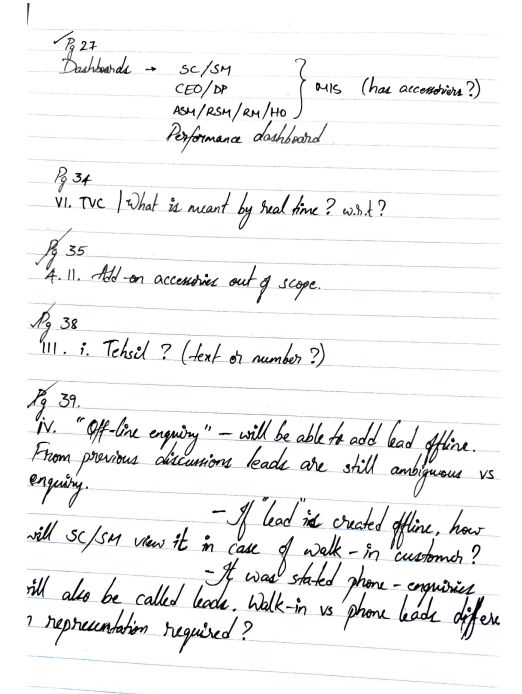
I walked into Hyundai, Honda, Maruti Suzuki, and Toyota dealerships posing as a car buyer. The goal was deliberate: observe how sales consultants interact with customers, what tools they reach for, where they fumble for information, and how they use (or avoid) their devices mid-conversation.
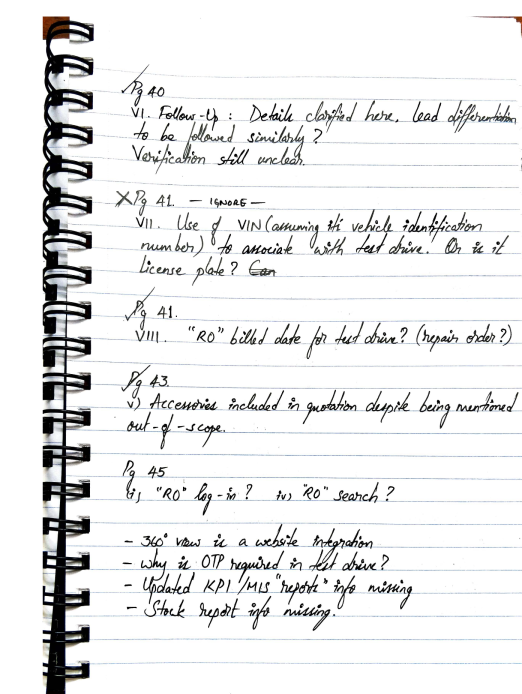
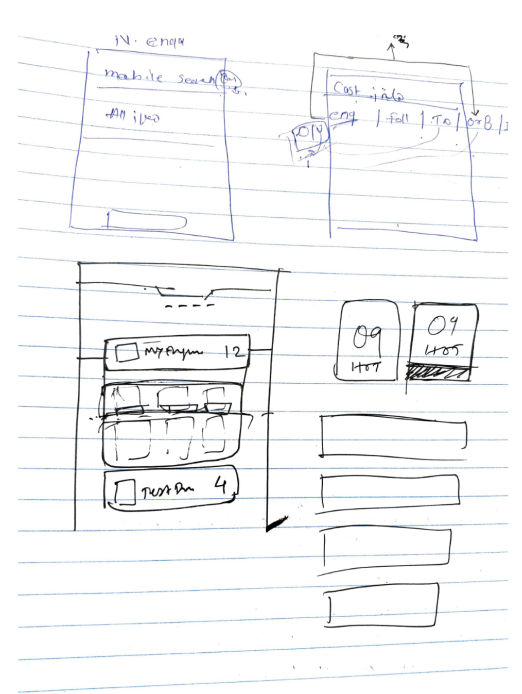
Field notes and early sketches


03 — Insights
What the research
actually revealed
Instant information access
Customers ask surprisingly specific questions on the showroom floor. Salespeople needed vehicle specs, pricing, and availability at their fingertips — not back at a desktop across the dealership.
Lead tracking and alerts
Sales performance is measured by conversions. Consultants needed timely follow-up reminders and a clear view of their pipeline — missing a callback could mean losing a sale.
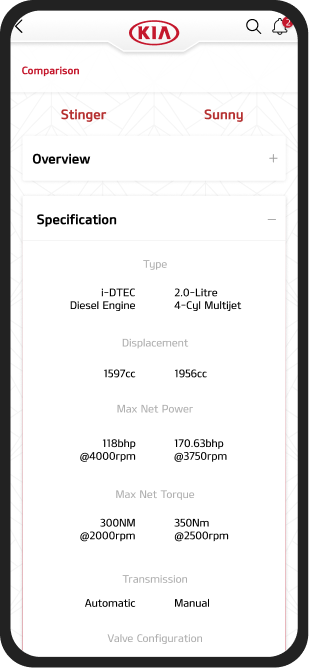
On-the-fly comparisons
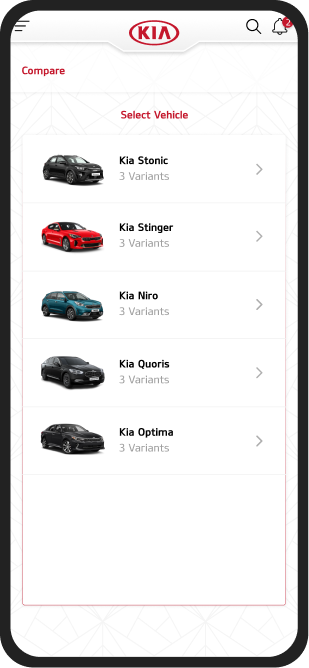
Some salespeople can rattle off specs from memory. Most can’t. When a customer asks ‘how does this compare to the Creta?’, the answer needs to be immediate and credible.
04 — Design
Designing the app's header
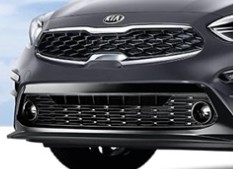
I wanted the app to feel unmistakably KIA from the first pixel. Take a look at their vehicles — specifically the front grilles. Notice anything?


The “tiger nose” signature
Every KIA vehicle shares this distinctive grille shape — their “tiger nose” design language. I saw an opportunity to carry that physical brand DNA into the digital experience.
The header, born from the grille
The app's header mirrors the tiger nose curve — a subtle nod that makes the app feel like a natural extension of the brand. KIA's design philosophy draws from the tiger: powerful, adaptive across segments. The header captures that same energy in a digital form.

Working within the
brand system
Maintain Exclusion Zones
KIA MOTORS
The Power to Surprise
Maintain Exclusion Zones
KIA MOTORS
The Power to Surprise
Kia Red
#BB162C
Kia Gray
#7E8083
KIA's brand guidelines were my foundation
KIA was mid-transition — moving from a 3D-heavy visual identity toward flat design. That made this a fascinating moment to be designing for the brand. In hindsight, there was a real opportunity to build a full design system, but the timeline didn't allow for it.
My north star for visual design was clear: every screen should feel like it belongs to KIA, even without the logo visible.
A deliberate icon system
Most screens in this app are information-dense. Solid icons would have competed with the content for visual attention. Line-style iconography was a deliberate choice — lightweight enough to guide without overwhelming, while maintaining clarity at small sizes.

Pushing beyond the brief
Dark mode was gaining momentum across the industry, and I was curious what it could look like for KIA. I developed a full dark mode concept on my own initiative. It didn't ship in v1 — the development timeline couldn't absorb it — but it planted a seed for the next iteration, and showed the client what was possible.
05 — The Product
Meet KIA My Sales


Interactive Figma Prototype
The lead management core
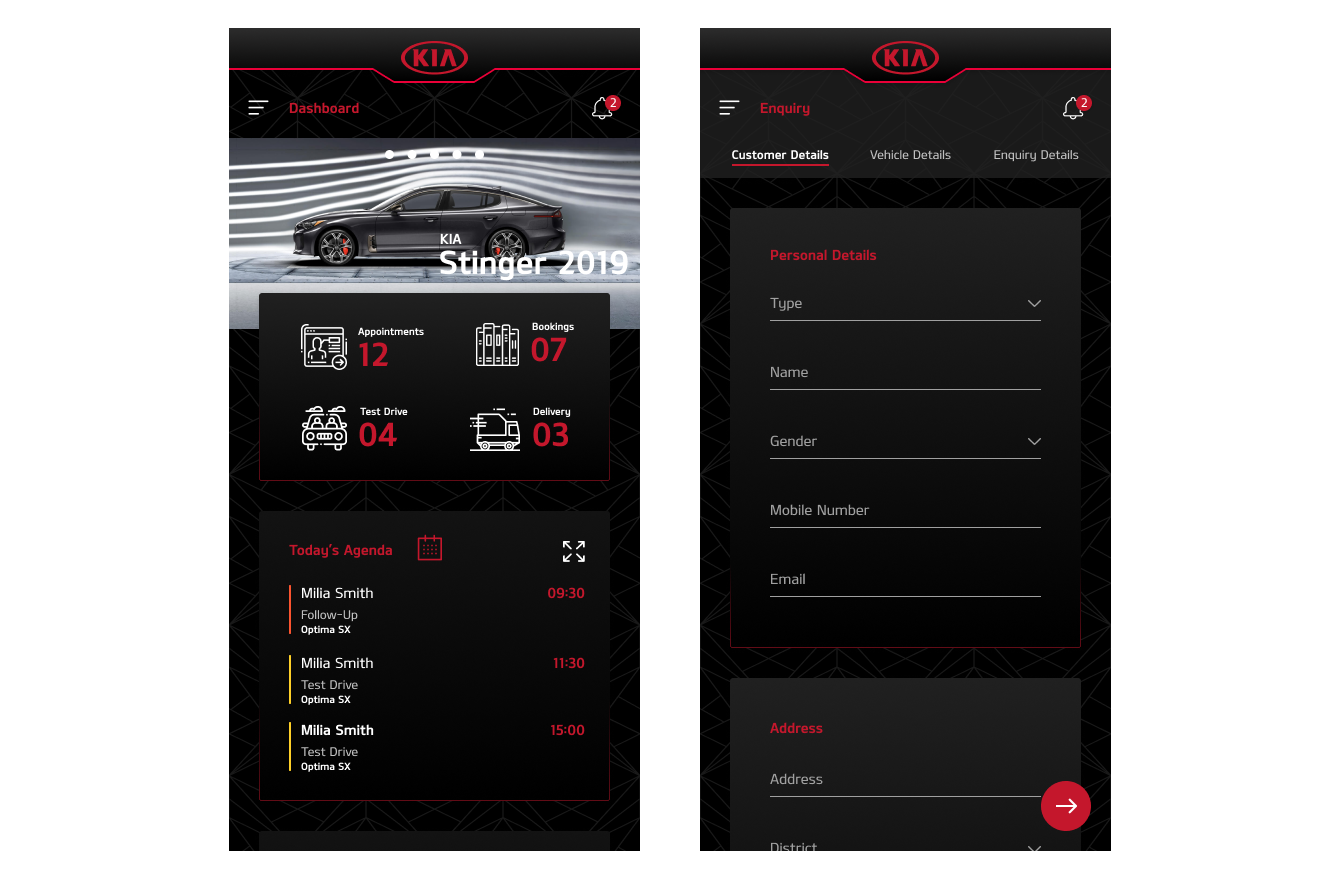
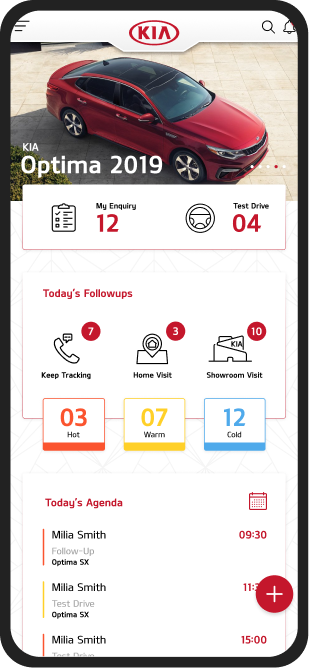
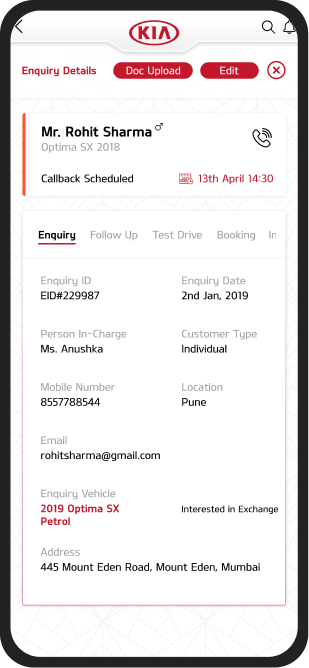
At its heart, My Sales is a lead management tool — tracking prospects, scheduling follow-ups, booking test drives, and reserving vehicles. Every interaction a salesperson has with a customer flows through this system.
Design questions I kept coming back to:
- “How does a salesperson see their full pipeline at a glance?”
- “How do they manage appointments without leaving the app?”
- “Can adding a new lead be done in under 30 seconds?”
Beyond leads —
tracking performance
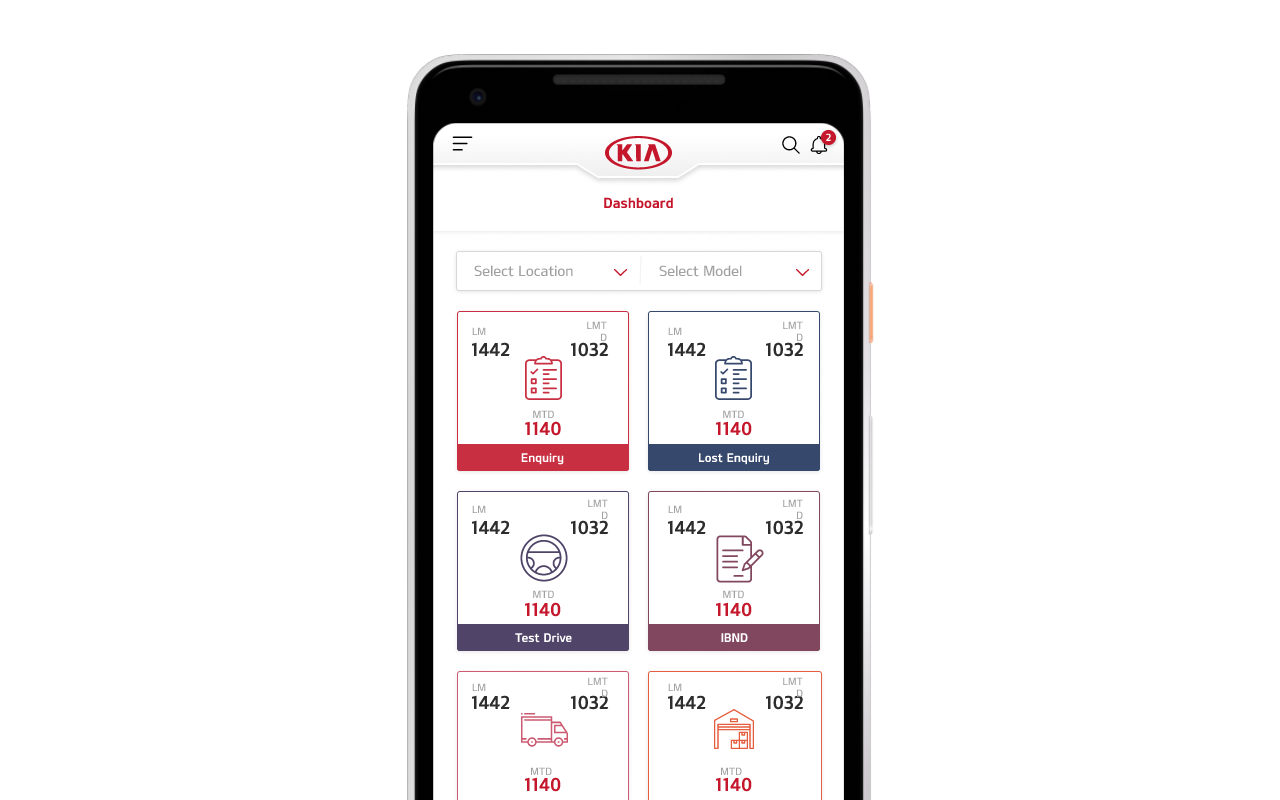
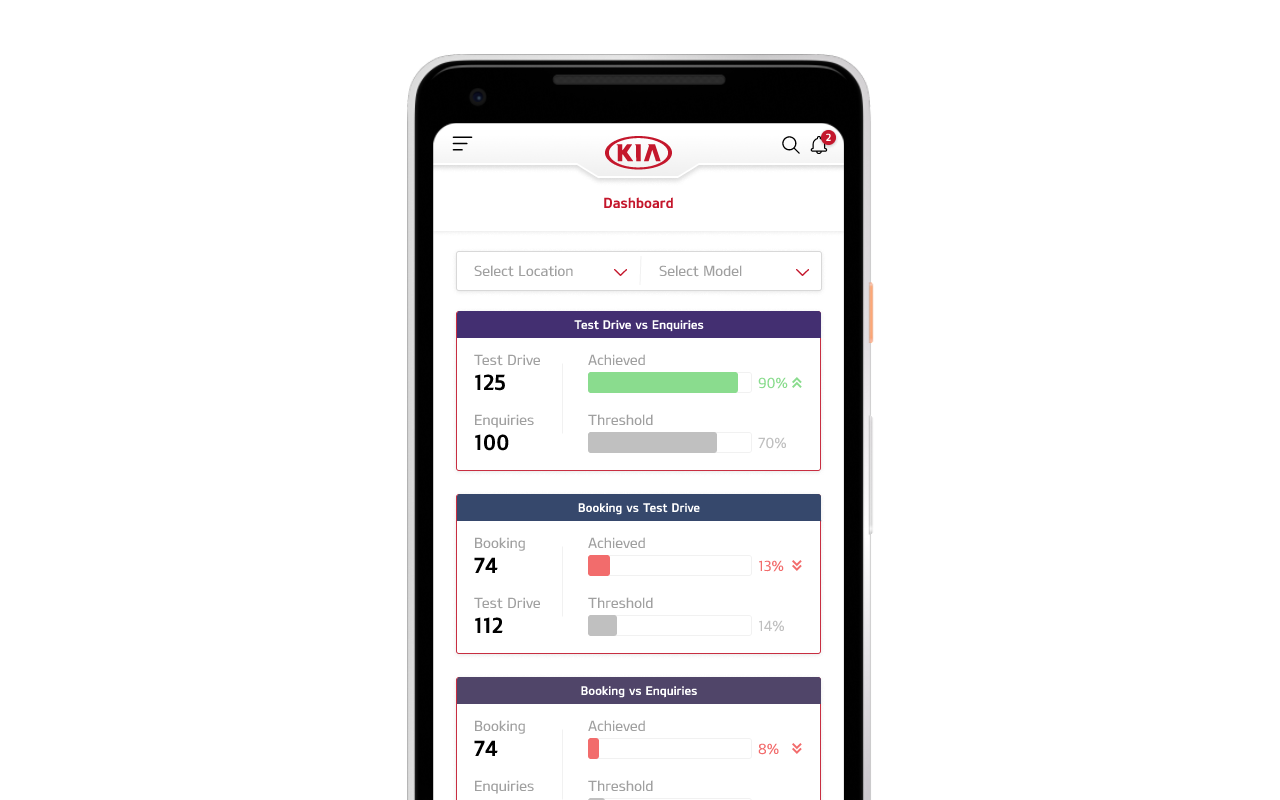
Dealership managers needed more than a lead tracker — they needed visibility into how their teams were performing. I designed a sales performance dashboard that distilled raw numbers into actionable KPIs: enquiries generated, test drives booked, follow-ups completed, and vehicles sold.

Three dashboard iterations side by side — card-based KPI overview, progress bar layout, and compact comparison view
Sales Dashboard
Monthly Performance
Enquiries
+12%142
Test Drives
+8%87
Bookings
+15%34
Follow-ups
+5%203
Dealer-wise breakdown
17 iterations weren't just on screens
The dashboard went through its own design evolution. Early versions used dense data tables with inconsistent color coding — managers struggled to parse what mattered. Each iteration refined the visual hierarchy:
Raw data tables with color-coded rows — too much noise, key metrics buried in dense grids
Introduced KPI summary cards at the top, simplified the table below to show only actionable items
Added dealer-wise breakdowns and trend indicators so managers could spot underperformance instantly
Polished the color system — moved from arbitrary hues to a tonal violet scale aligned with KIA's brand

The full scope of dashboard iterations — evolving from dense data tables to a refined, color-coded KPI system
The other half of
the product
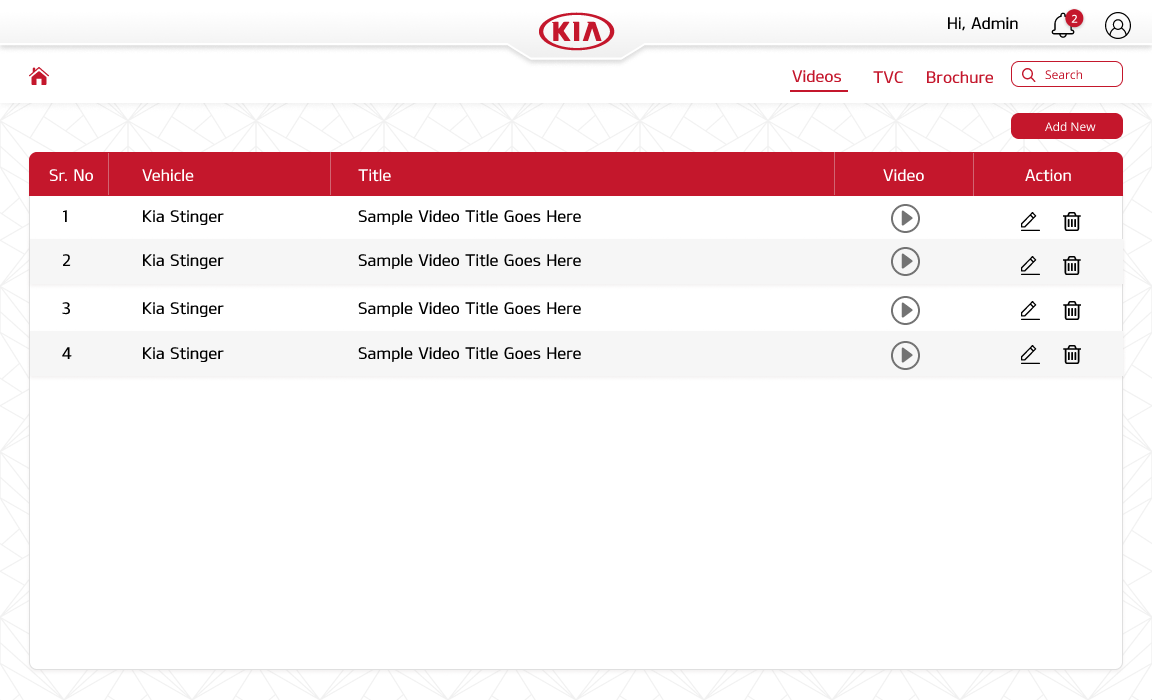
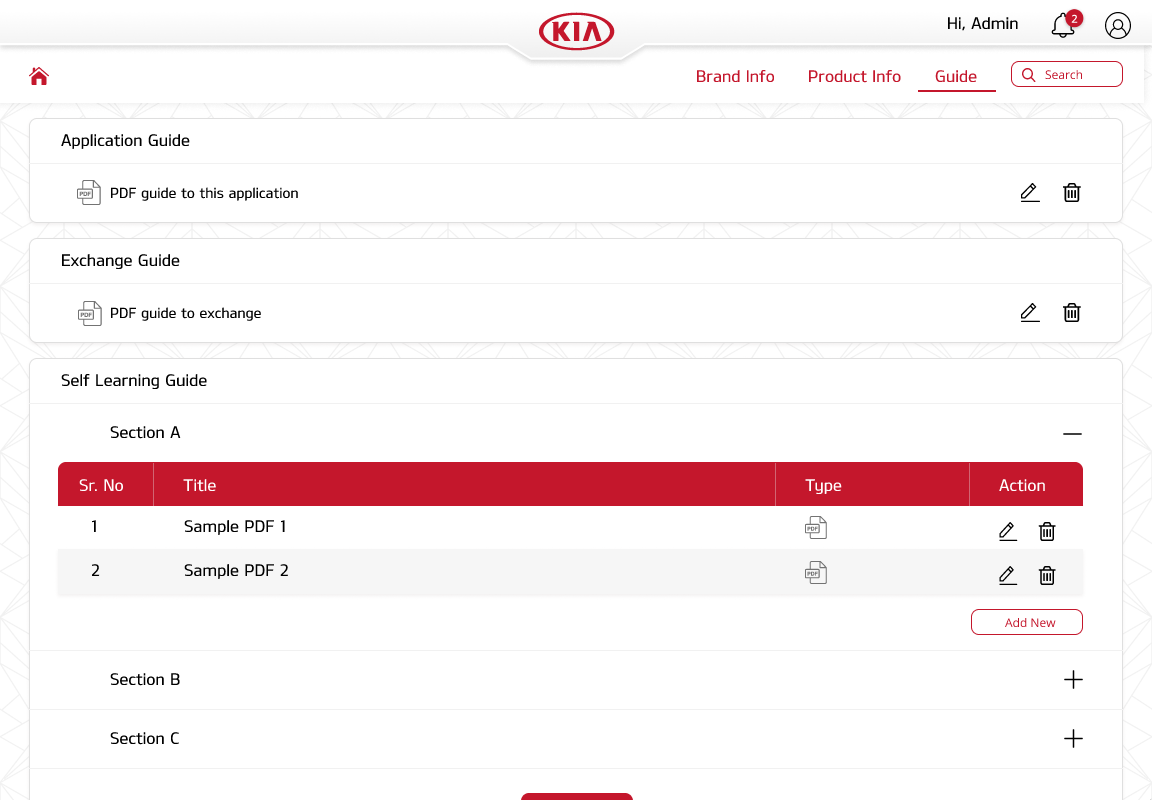
My Sales wasn't just an app — it was an ecosystem. Behind every product brochure, training video, and vehicle spec that sales consultants accessed on their phones sat a web-based admin CMS. I designed this companion panel so KIA's marketing and training teams could manage all content without developer involvement.
Video Management

Video management — CRUD interface for product demos and training content

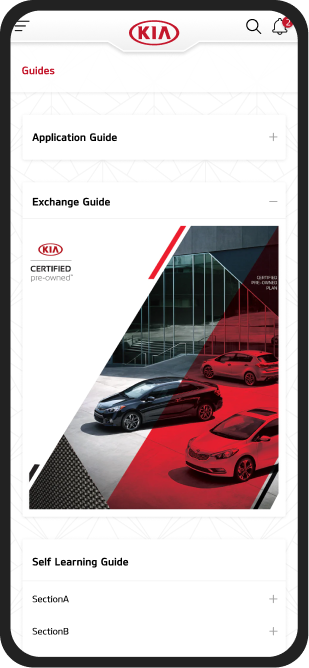
Guide management — Application, Exchange, and Self Learning modules
Product Catalog
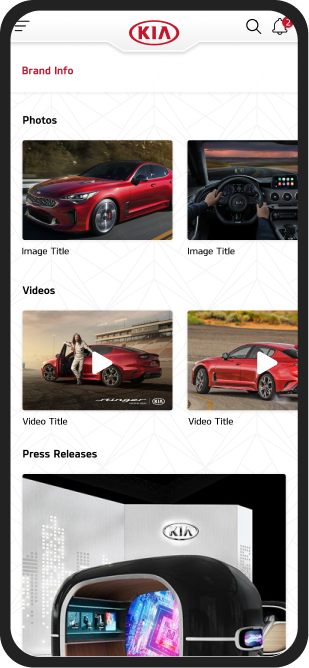
Vehicle specs, pricing, color options, and comparison data — updated by marketing, consumed by sales reps on the app in real-time.
Training Guides
Application guides, exchange guides, and self-learning modules that onboard new hires and keep existing staff current on product changes.
Media & Brochures
TVC ads, product demo videos, and downloadable brochures — everything a salesperson might pull up mid-conversation with a customer.
Designing the CMS changed how I think about products. The mobile app was the visible output, but the admin panel was the engine. Without clean content workflows, the app's catalog and training sections would have gone stale within weeks.
Shipping meant constant feedback
With a 3-month timeline and 17 iterations, the design process was anything but linear. Weekly stakeholder reviews with KIA's business team meant presenting work-in-progress designs, defending decisions, and adapting on the fly. Some sessions redirected entire features.
Developer handoff was equally iterative. Working closely with the Android team, I learned which design choices were costly to implement and which were trivial — that back-and-forth made the final product more practical without sacrificing intent.
Weekly
Stakeholder design reviews with KIA business team
Ongoing
Developer collaboration and feasibility checks
17 rounds
Design iterations from wireframes to final handoff
Post-launch
Play Store reviews and user satisfaction surveys
06 — Impact
The impact on
KIA's business
The numbers speak clearly
KIA had zero dealer infrastructure in India before 2019 — no showroom tools, no sales apps, no digital playbook. My Sales was built from scratch alongside the brand's entire India launch, and it became the backbone of daily dealership operations from day one.
The app is live on India's Google Play Store, holding a 4.5 ★ rating across 1,000+ reviews.
What users consistently praised:
- Intuitive navigation and visual polish
- The breadth of functionality in a single app
Where there's room to grow:
- Some backend friction — login issues and server connectivity — falls outside the design scope but impacts the overall experience.
The app continues to be a daily tool for KIA sales consultants across India, helping them manage leads, close deals, and stay organized.
Kia My Sales
Kia India
4.5★
1K reviews
11 MB
Size
3+
Rated for 3+
10K+
Downloads
Ratings and reviews
4.5
★★★★☆
1,083
3
Months
17
Design iterations
10K+
Downloads
4.5
Play Store rating
07 — Reflection
What this project taught me
This was one of my earliest projects — and easily the most ambitious. Coordinating across leadership, business, development, marketing, and design as an intern was intense. But that pressure shaped how I work today: comfortable owning end-to-end delivery, fluent in cross-functional collaboration, and genuinely energized by the complexity of shipping a real product that people use every day.
Design systems aren’t optional at scale
With 17 iterations across dozens of screens, I felt the pain of not having a unified component library. Every change rippled manually. If I could redo this project, establishing a design system would be my first move.
Designing for someone else’s workflow requires living in it
Walking into competitor dealerships as a fake buyer taught me more than any brief could. Understanding how sales consultants actually work — the interruptions, the improvisation, the device-juggling — changed the design fundamentally.
Working within an evolving brand builds flexibility
KIA was mid-rebrand during this project. Designing for a visual identity that was itself in transition forced me to make decisions that were principle-driven rather than pixel-perfect — focusing on what “feels KIA” rather than matching a static style guide.
Next case study