TEFConnect
Improving the usability of a social network empowering African entrepreneurs — from hidden login flows and broken features to a delightful experience with 100% task completion rate.
Role
Sr UX Designer
Team
Solo designer +
2 devs
Tools
Timeline
12 weeks
TL;DR — The Outcome
What shipped
- Evaluated TEFConnect against Nielsen's 10 usability heuristics
- Identified critical issues via PESTLE analysis of 12 stakeholders
- Delivered a redesign across 4 iterations and 27 screens
- 100% task completion rate in usability testing
My role
- End-to-end user research and usability testing
- Identified issues through heuristic evaluation
- Created high-fidelity prototype integrating data-driven recommendations
Timeline
12 weeks (Mar – Jun 2022)
01 — Context

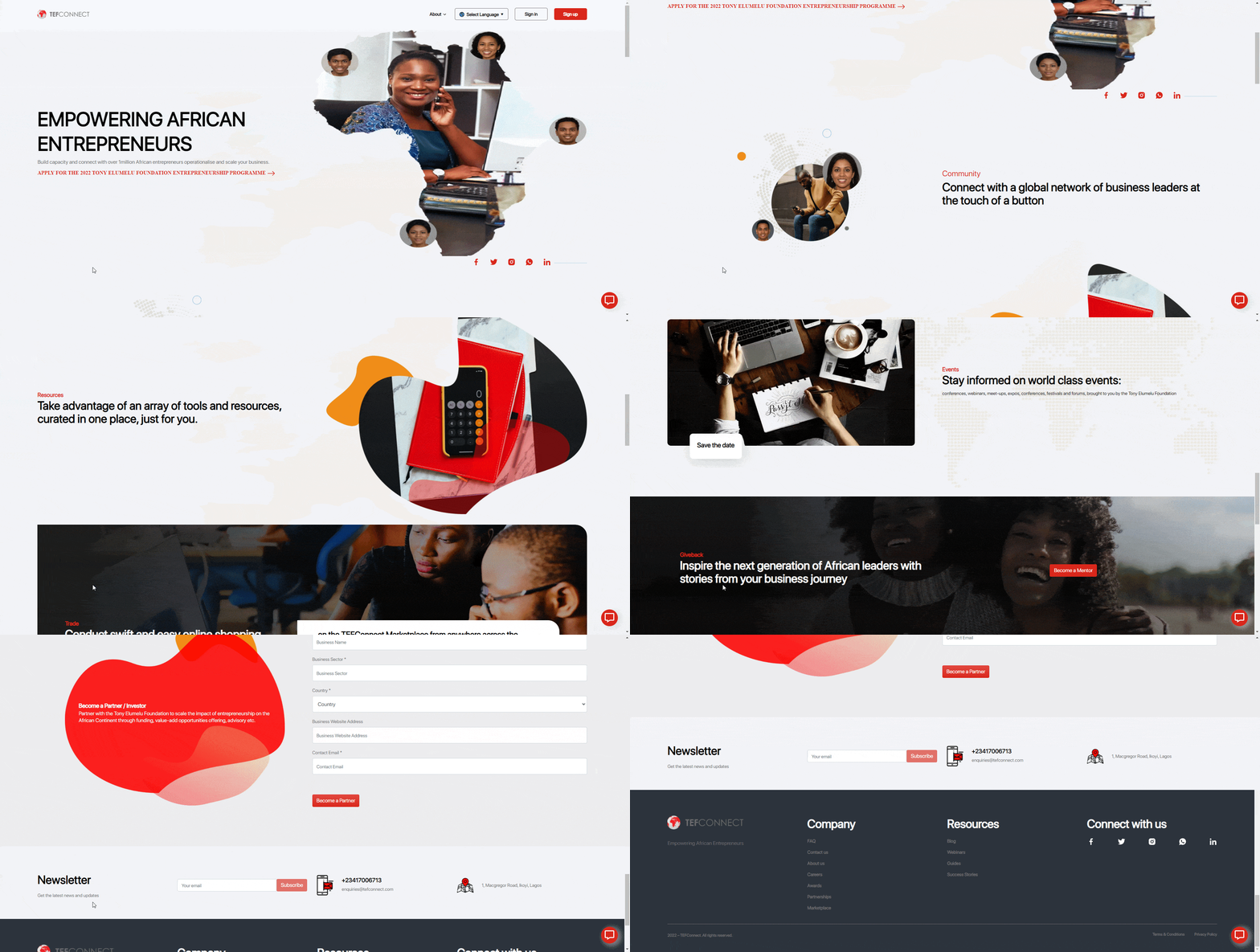
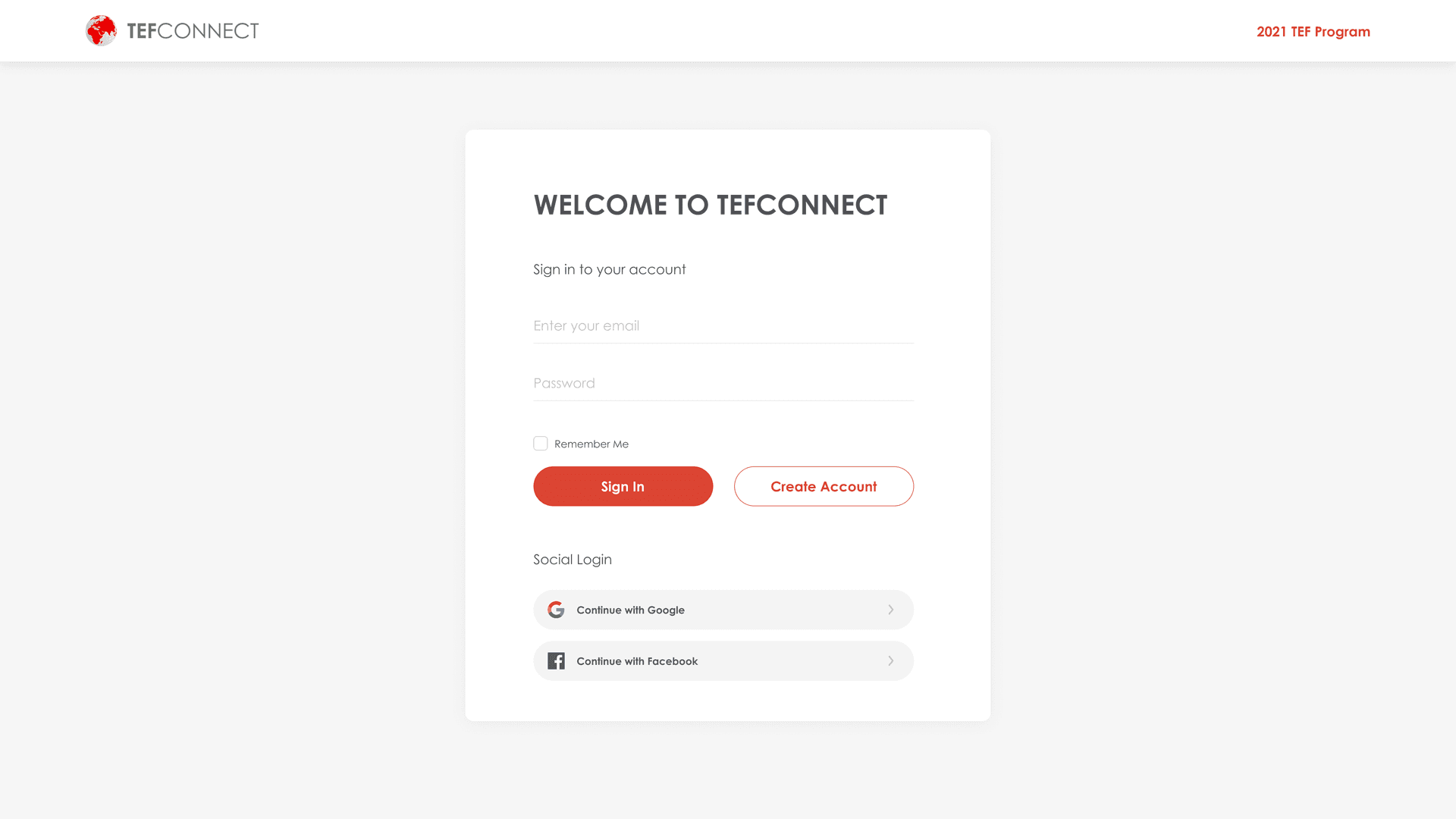
TEFConnect Login page in Feb 2022
A social network for Africa's next generation of entrepreneurs
Tony Elumelu Foundation (TEF) built something ambitious: a social network called TEFConnect designed to connect aspiring entrepreneurs across the continent. The vision was bold — a LinkedIn meets Facebook for African business minds — but the platform wasn't gaining the traction it deserved. I was brought in to figure out why.
The opportunity was
too good to pass up
Here was a platform with a genuinely important mission — empowering young African entrepreneurs — but struggling to deliver the experience those users deserved. The gap between the vision and the product was where I saw my biggest opportunity to make an impact through design.
02 — Problem Space
The Challenge
TEFConnect had a strong vision, but the experience wasn't keeping up. Despite a recognized brand and a captive audience of entrepreneurs hungry for connection, engagement numbers told a different story. My job: diagnose where the experience was falling short, and redesign the key flows to turn passive visitors into active community members.
My Role
End-to-end UX ownership — from stakeholder analysis and heuristic evaluation through user research, usability testing, and high-fidelity prototyping. I ran the entire research-to-redesign pipeline solo, which meant every insight connected directly to a design decision.

TEFConnect Login page in Jan 2021
Aspiring Entrepreneurs
Ages 20–35
Seasoned Professionals
Industry mentors
Target Audience
Two distinct groups with overlapping needs: aspiring entrepreneurs (mostly 20–35) looking for mentorship and resources, and seasoned professionals willing to guide emerging talent. Both needed a reason to keep coming back.
03 — Stakeholder Analysis
Stakeholder Analysis
Before touching a single wireframe, I needed to understand the ecosystem. A PESTLE analysis (Political, Economic, Social, Technological, Legal, Environmental) helped me map the forces shaping TEFConnect — because you can't redesign a product without understanding the organization behind it.
04 — Heuristic Evaluation
First impressions can be deceiving
Before involving users, I wanted my own expert baseline. A structured heuristic review reveals the obvious issues — and sometimes the non-obvious ones hiding in plain sight.
Heuristic Analysis
I walked through the entire platform against Jakob Nielsen's ten usability heuristics scoring each on a 0–4 severity scale. This gave me a prioritized map of what needed attention first.
Severity Rating for Heuristic Evaluation
The surface looked polished. Underneath? Not so much.
At a glance, TEFConnect looks competent — clean brand colors, generous whitespace, and an optional dark mode. But once I started systematically evaluating it, issues emerged across interaction design, visual design, SEO, and feature functionality. Two heuristics scored a catastrophic 4, one scored a 3 — meaning core features were fundamentally broken.
Heuristic 1
Visibility of System Status
A new user could get confused about which tab they're on — there is no visual indicator for the active page. The “New” badge beside Marketplace implies new activity, but it actually refers to Marketplace being a new feature. This is highly misleading.

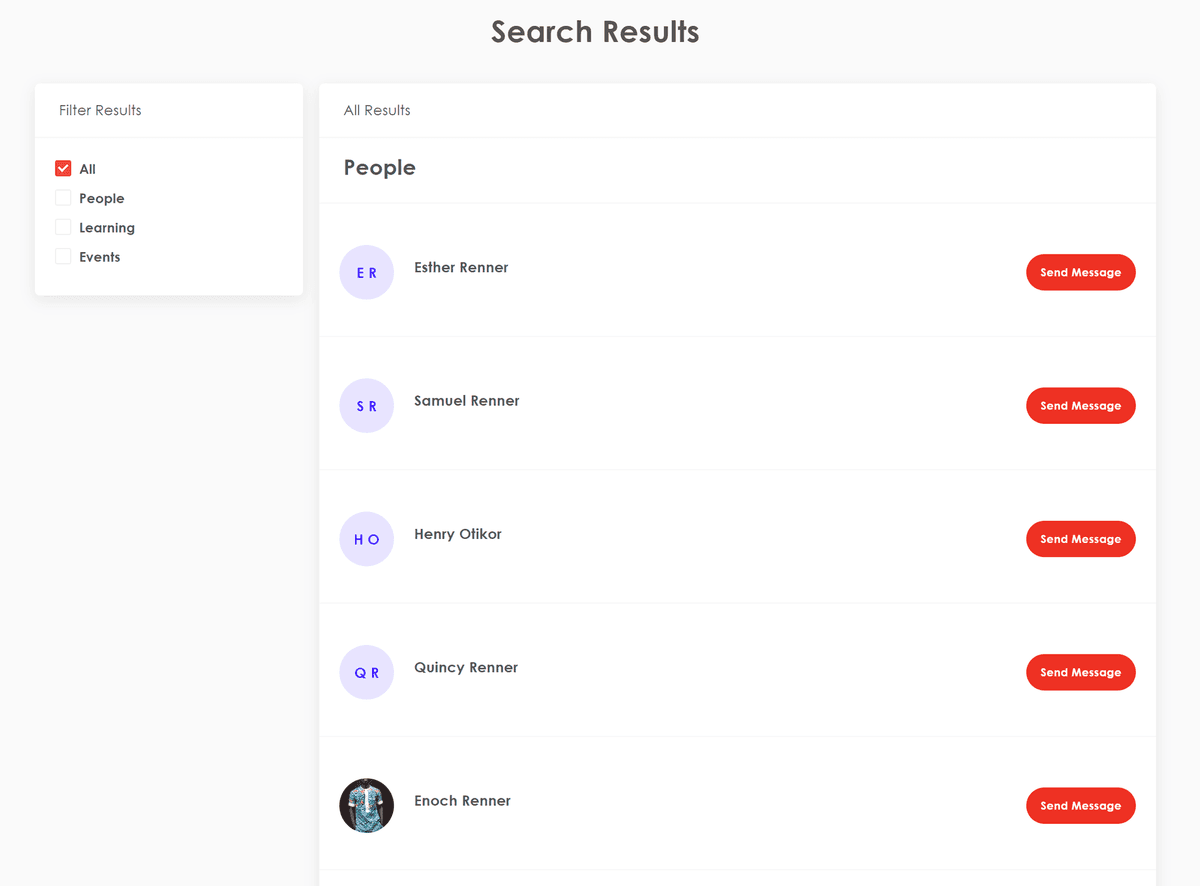
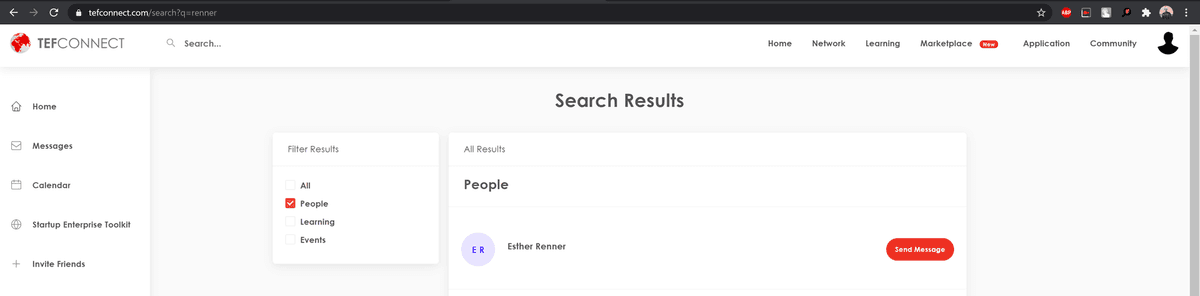
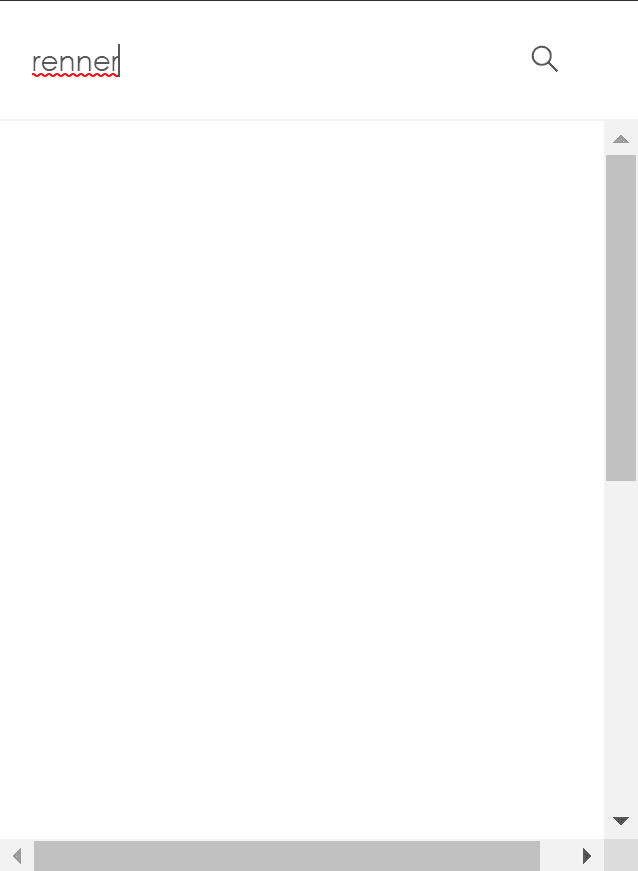
Search takes 10–15 seconds with no loading indicator. Filters don't apply when toggled. The search results page doesn't even show the keyword that was searched — it only appears in the URL.

Search with no loading indicator

Switching search filters has no effect
On the profile page, saving changes pops a red dialogue — easily mistaken for an error. The red button at the bottom right looks like a chat bot, but it's actually a non-functional search overlay.

Red success dialog — easily mistaken for an error


Non-functional search disguised as a chat bot
Heuristic 2
Match Between System and the Real World
TEFConnect does a great job using familiar words, phrases, and concepts. Information flows in a logical order, and the iconography is conventional — not prone to confusion. No issues here.
Heuristic 3
User Control and Freedom
The Community tab redirects to a separate domain (community.tefconnect.com) where Marketplace is unavailable. The logo in Community doesn't redirect back to the main site.


Inconsistent domains — Community lives on a separate URL with no way back to Marketplace
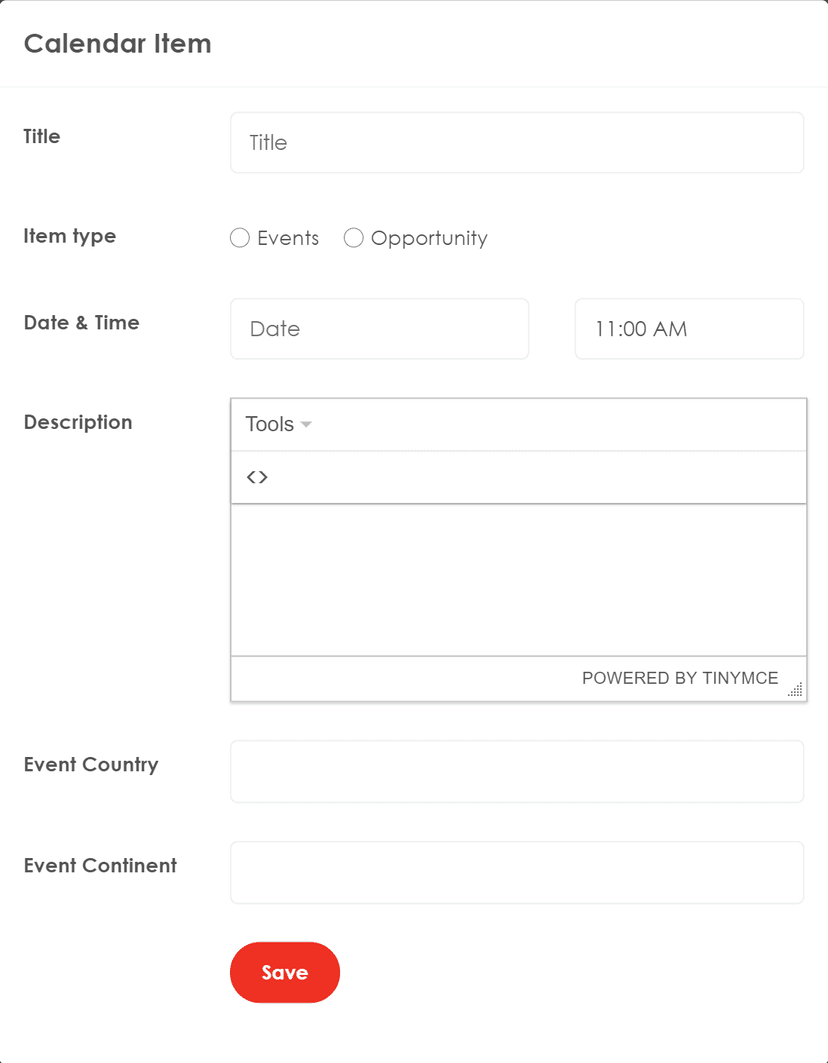
Adding a calendar event opens a modal with no clear exit button — using the browser's back button takes the user two steps back, which is confusing and disorienting.

No exit button on the calendar modal — back button takes user two steps back
Heuristic 4
Consistency and Standards
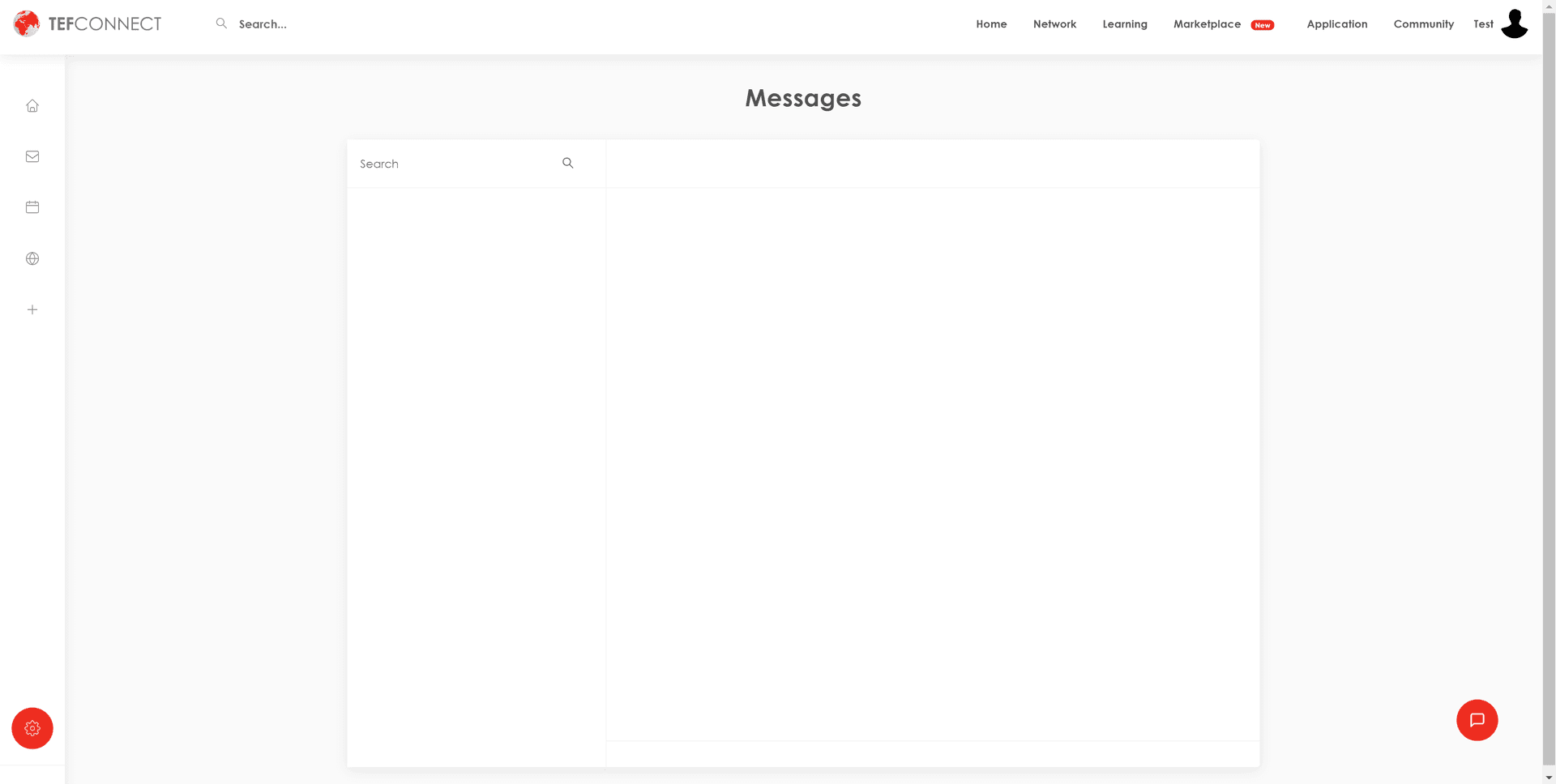
Messages does not have an option to initiate or send a message from the page itself. To message someone, a user has to search for them first and use the message button from search results — which redirects to an empty messages page, making it look like the feature is broken. For a social platform focused on connecting people, messaging is a core function. This warrants a 4 on the severity scale.

No way to create or send messages from the messages page
The red button at the bottom right isn't a new message or chat icon despite its placement. It's a search function that doesn't work. On most platforms, that space is conventionally used for chat bots or messaging — users would expect that pattern here.
Heuristic 5
Error Prevention
Phone numbers aren't validated — users can enter anything and it saves without complaint. No search suggestions are offered when typing, and the “Save Changes” dialog fires even when nothing has changed.

No validation vs. placeholder format solution

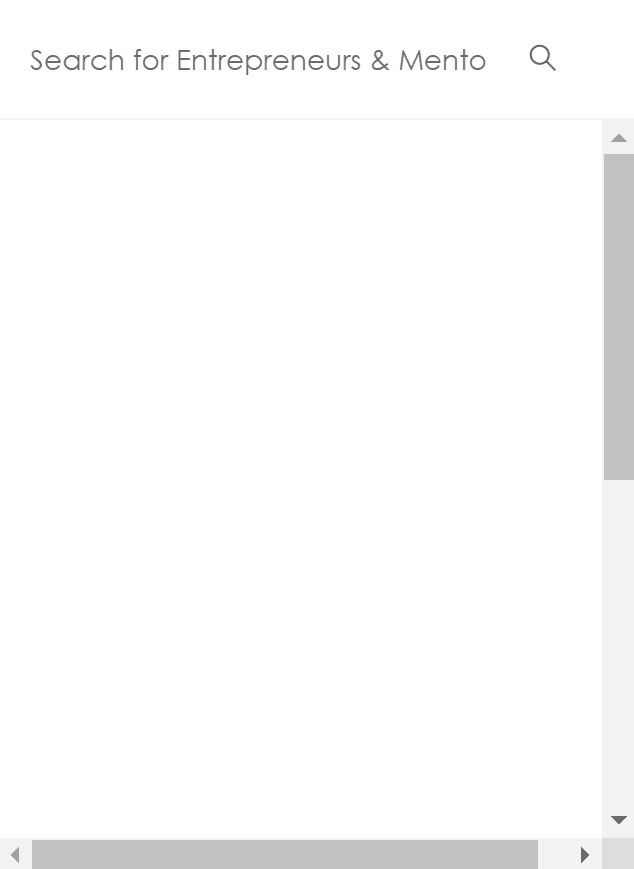
No search suggestions offered
The remaining seven heuristics scored between 0–2. Language and iconography were clear (0), aesthetic design was mostly clean with minor redundancy in navigation (1), and keyboard shortcuts existed but were undiscoverable (0). The full evaluation covers all 10 heuristics with screenshots and proposed solutions.
See full Heuristic Analysis→05 — User Research
Time to hear from the people who matter most
My heuristic review told me what was broken. Now I needed to understand who was breaking against it — their habits, expectations, and what “good” looks like to them.
User Surveys
Numbers tell a different story than interviews. I distributed a Qualtrics survey across entrepreneurial communities on Facebook, Instagram, and Reddit — deliberately casting a wide net to capture perspectives beyond TEF's existing user base. One week, 51 responses.
What I set out to learn:
- Who are these users? (demographics, education, occupation)
- What do they expect from a platform like this?
- What personality traits define the target audience?
- What are they actually trying to accomplish?
- What do they love and hate about the current experience?
- How does their social media behavior elsewhere inform expectations?
Gender distribution
Age distribution
How the research was carried out
Quantitative Survey
A 22-question Qualtrics survey mixing quantitative scales with open-ended qualitative prompts. Distributed across entrepreneurial communities on Facebook, Instagram, and Reddit — deliberately targeting people outside TEF's existing user base to avoid bias.
46
responses
5
days active
22
questions
Questions covered four areas:
- Demographics — age, gender, education, income, employment, industry
- Social media habits — frequency, motivation, preferred devices, priorities
- Entrepreneurship interest — willingness to join, primary goals, wishlist
- TEFConnect feedback — awareness, experience ratings, expected content
Semi-Structured Interview
A task-based interview with a potential user — a full-time student and part-time UX designer familiar with platforms like LinkedIn, categorized as an “intermediate” user for TEFConnect's audience.
The interviewee was asked to perform specific actions based on known use cases, starting from finding the site via Google search and diving into each section. Feedback on experience, satisfaction, emotion, and motivation was captured after each task.
Key outcomes:
- Confirmed most pain points from the heuristic evaluation
- The landing image was mistaken for TEF's founder — a brand identity issue
- The social feed felt self-generated; lack of events and news made it feel disjointed
- Privacy policy modal appeared on every page load — preferences weren't saved
- Core functions (search, messages, calendar) didn't work as intended
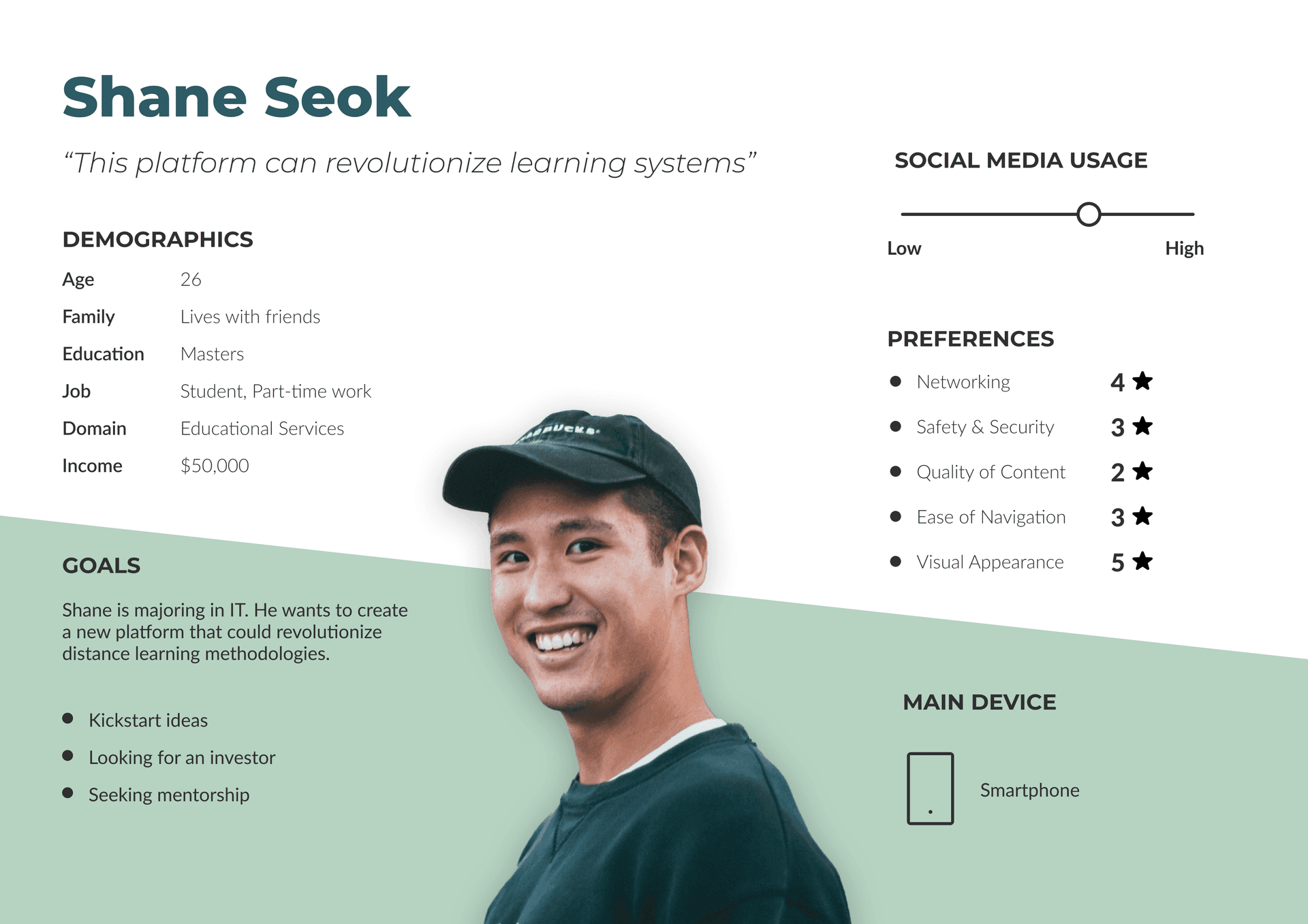
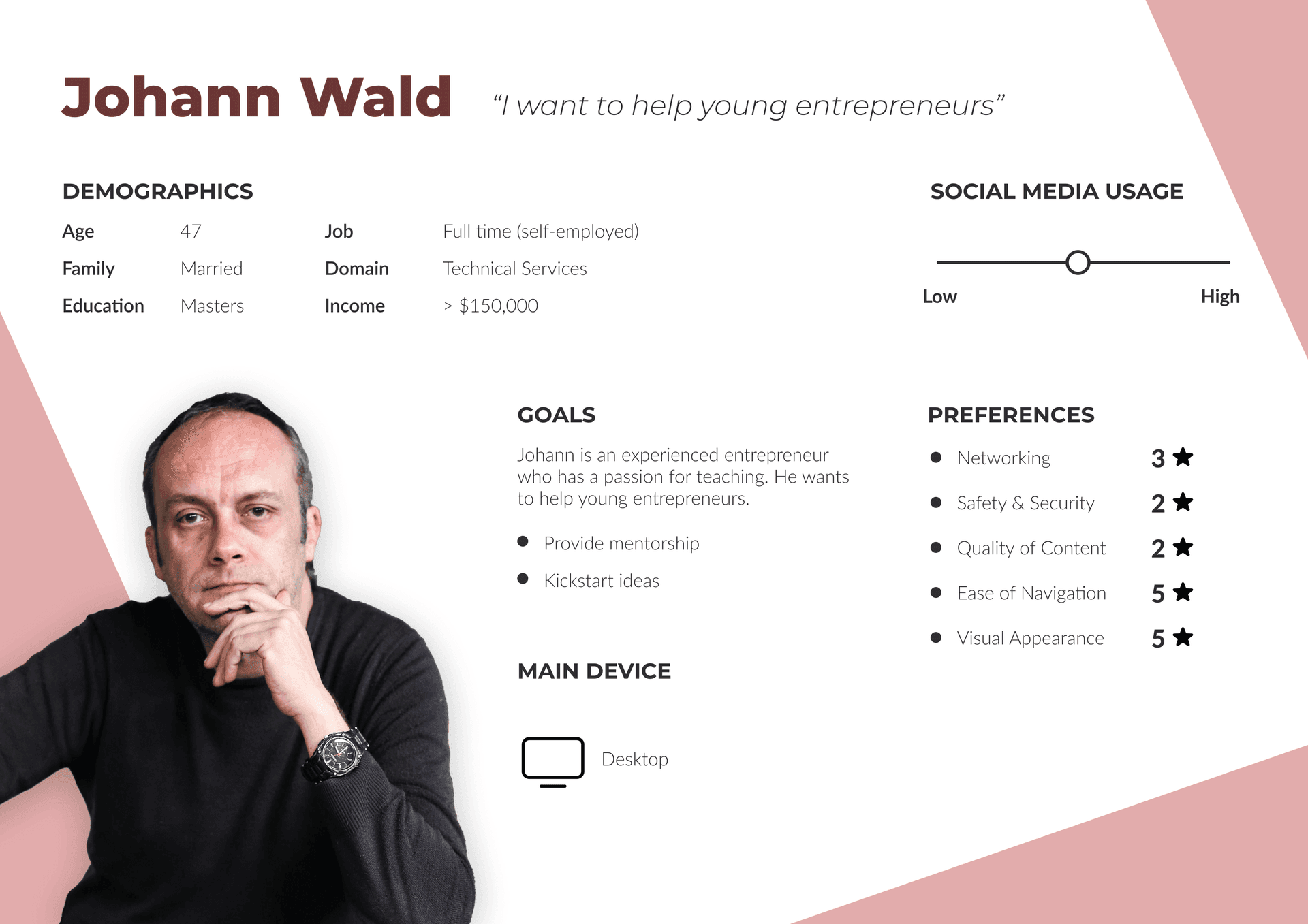
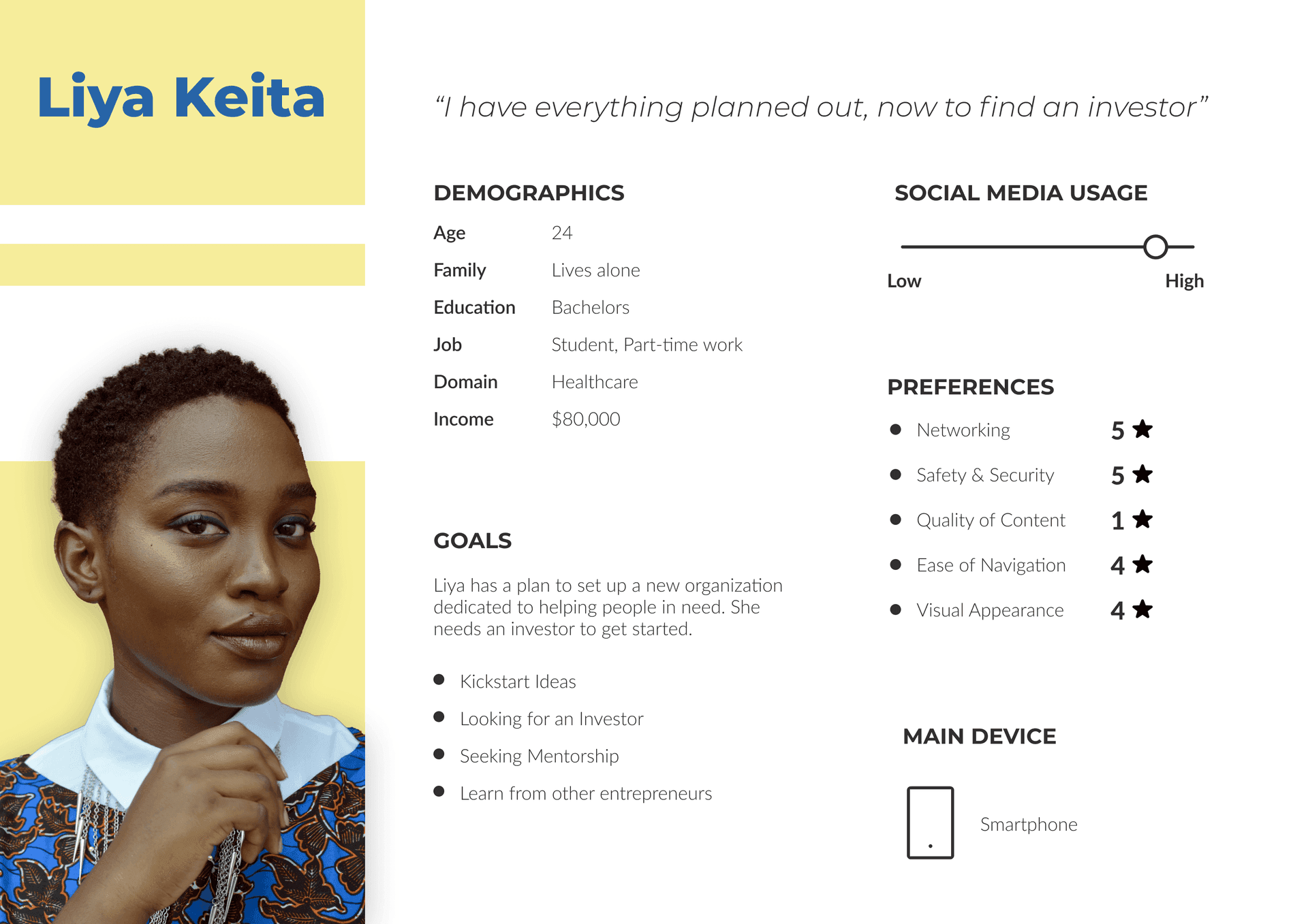
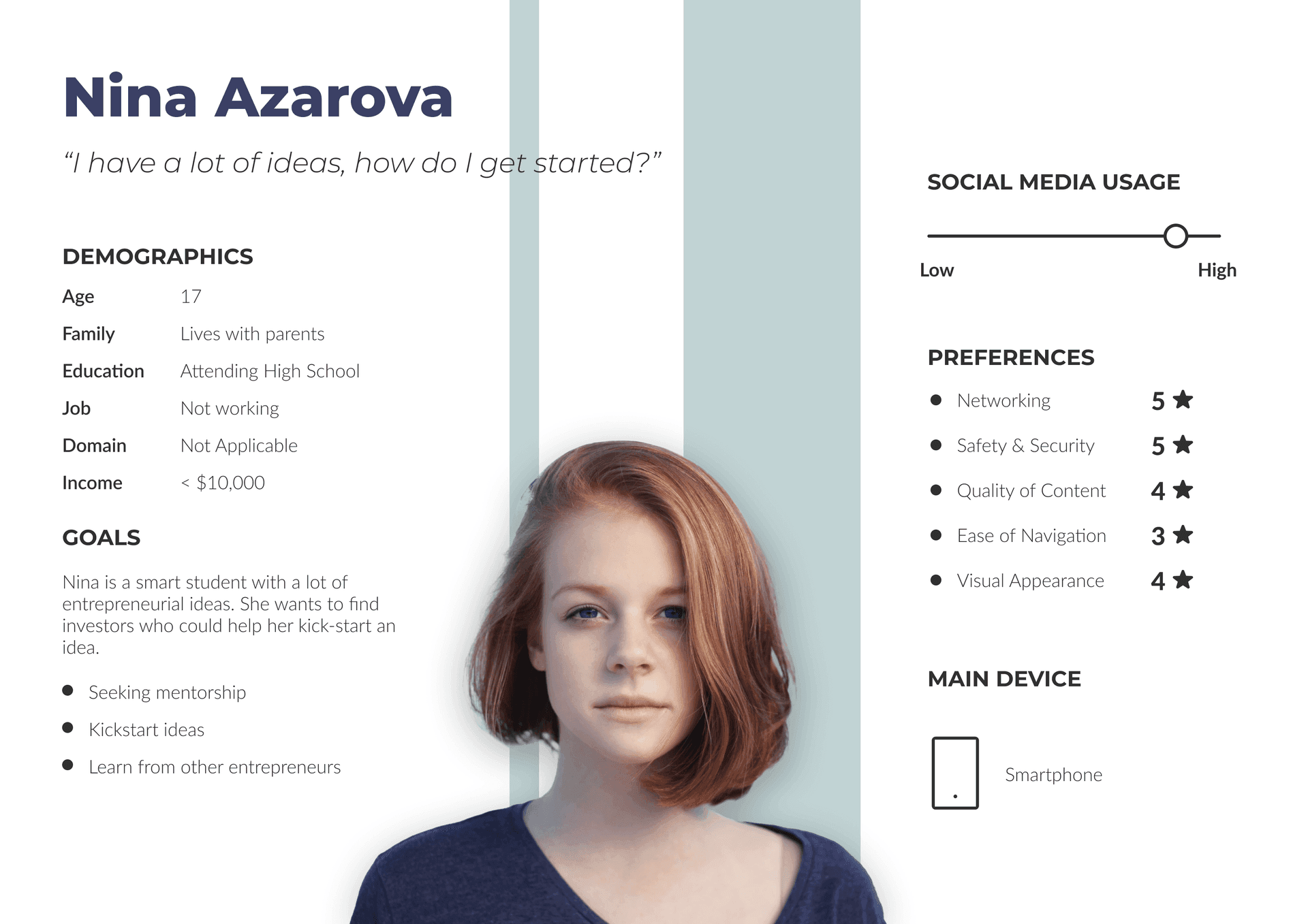
Personas
User Stories
With survey data and personas in hand, I translated research into actionable user stories. These became my north star for every design decision that followed — grounding the work in real user intent, not assumptions.
“If I were a first-time entrepreneur in Lagos, what would I need from this platform?”
See all User Stories→Does the content earn the user's attention?
A social platform lives or dies by its content. If users don't find value in what they see, no amount of polish will bring them back.
Auditing every page, systematically
Using the user stories as my measuring stick, I inventoried and audited every piece of content on the platform — checking for accuracy, relevance, and whether it actually served the users or just filled space.
The audit revealed a pattern:
- 4 pages flagged red — Networking, Marketplace, Messages, and Calendar. These core features were either poorly populated or outright non-functional. For a social platform, that's devastating.
- The written content was mostly on-target for the audience, which was encouraging — but quality was wildly inconsistent across sections, eroding trust.
06 — Usability Testing
Putting assumptions to the test
Watching real users struggle in real time
I ran moderated usability tests with 5 participants over Zoom, watching their faces and tracking their cursor movements as they attempted core tasks on the live site. Nothing humbles your assumptions faster than observing someone genuinely confused by something you thought was obvious.
The three biggest pain points, validated by every participant:
- Finding mentors, investors, or fellow entrepreneurs felt like a guessing game — no clear path to discovery.
- Core social features were broken: messaging didn't work, people search was unreliable, filters were non-functional.
- The login itself was a usability test failure — the credential entry was hidden behind a tiny, easily overlooked text link.
- •Login barriers affected all participants
- •No explicit "connect" feature for networking
- •Network filters proved difficult to use
- •Messaging feature caused disorientation
- •Interactive map lacked discoverability
- •Incoherent product positioning confused users
- •Universal difficulty connecting with other users
- •Navigation challenges in Network section
- •Font readability concerns raised by multiple users
- •Insufficient human element affecting user trust
07 — Design Decisions
From diagnosis to design decisions
Every research insight mapped to a concrete design intervention. Here are the three highest-impact areas I tackled first.
Rebuild the discovery engine
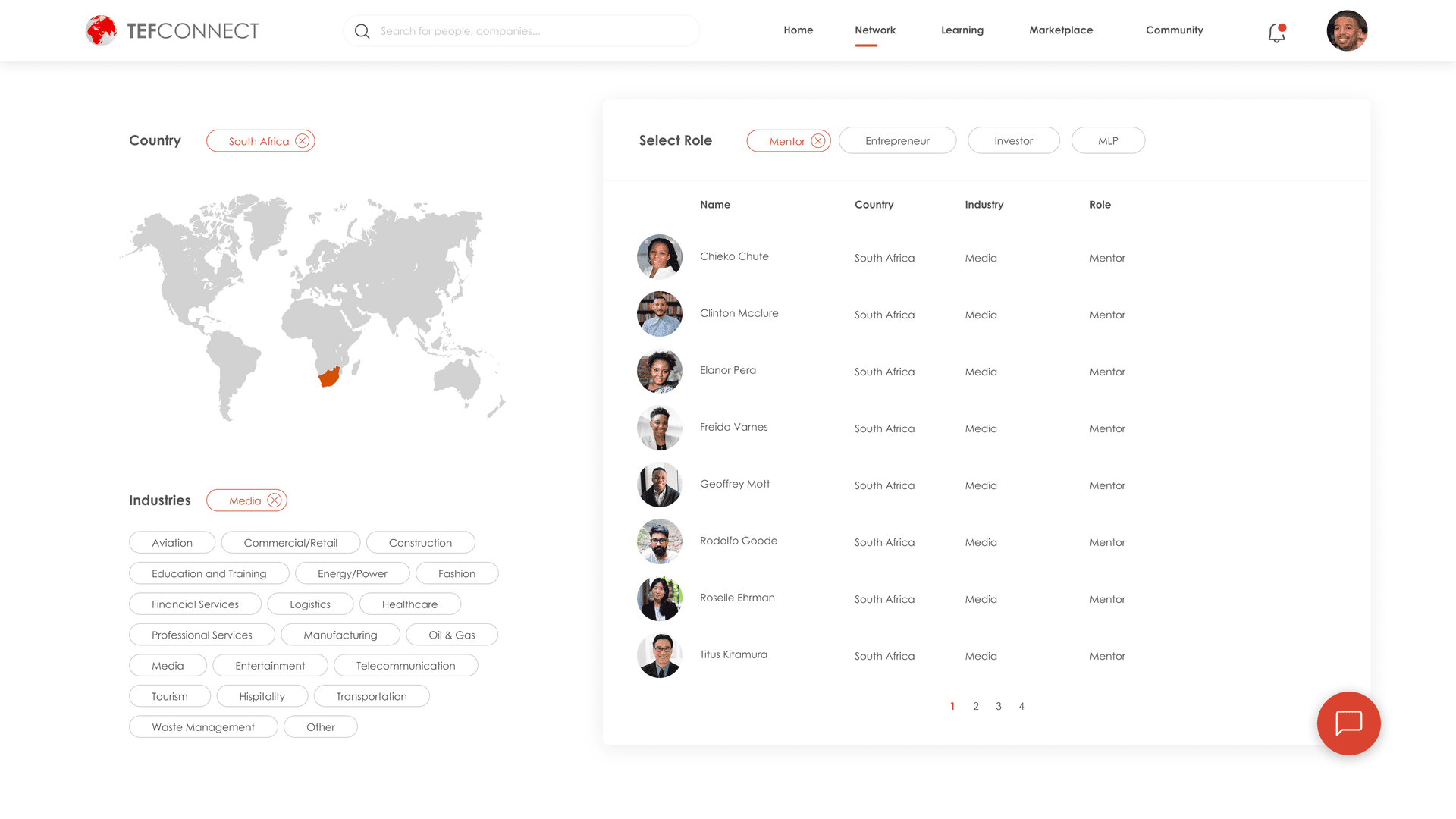
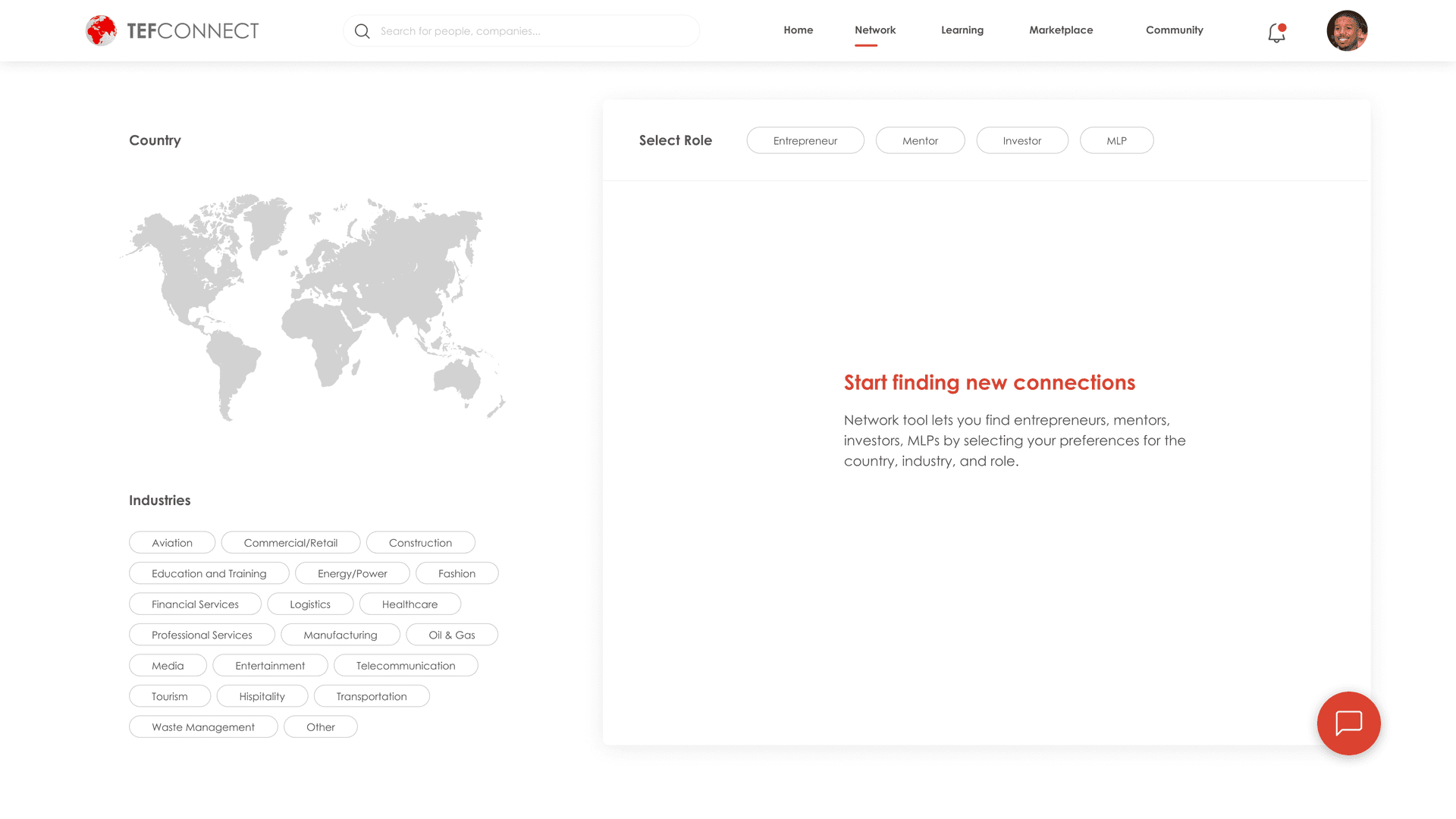
The networking filters were fundamentally broken. I redesigned the search and filtering system so users could find mentors, investors, and peers by industry, location, and expertise — the features they told us they needed most.
Make messaging actually work
Private communication is the lifeblood of a professional network. The existing messaging feature was non-functional — I designed a reliable, intuitive messaging flow that made one-on-one connection effortless.
Clarify the community model
Users were confused about what “community” meant within a platform that was already a community. I restructured the information architecture to give the community section a clear purpose and distinct identity.
The redesigned experience
08 — Validation
Did the redesign actually solve the problems?
Round two: testing the redesigned prototype
The difference was immediate and measurable. The network page — the biggest pain point in the original site — went from a source of confusion to the feature participants were most excited about.
Key areas I redesigned:
- Login flow — from hidden to unmistakable.
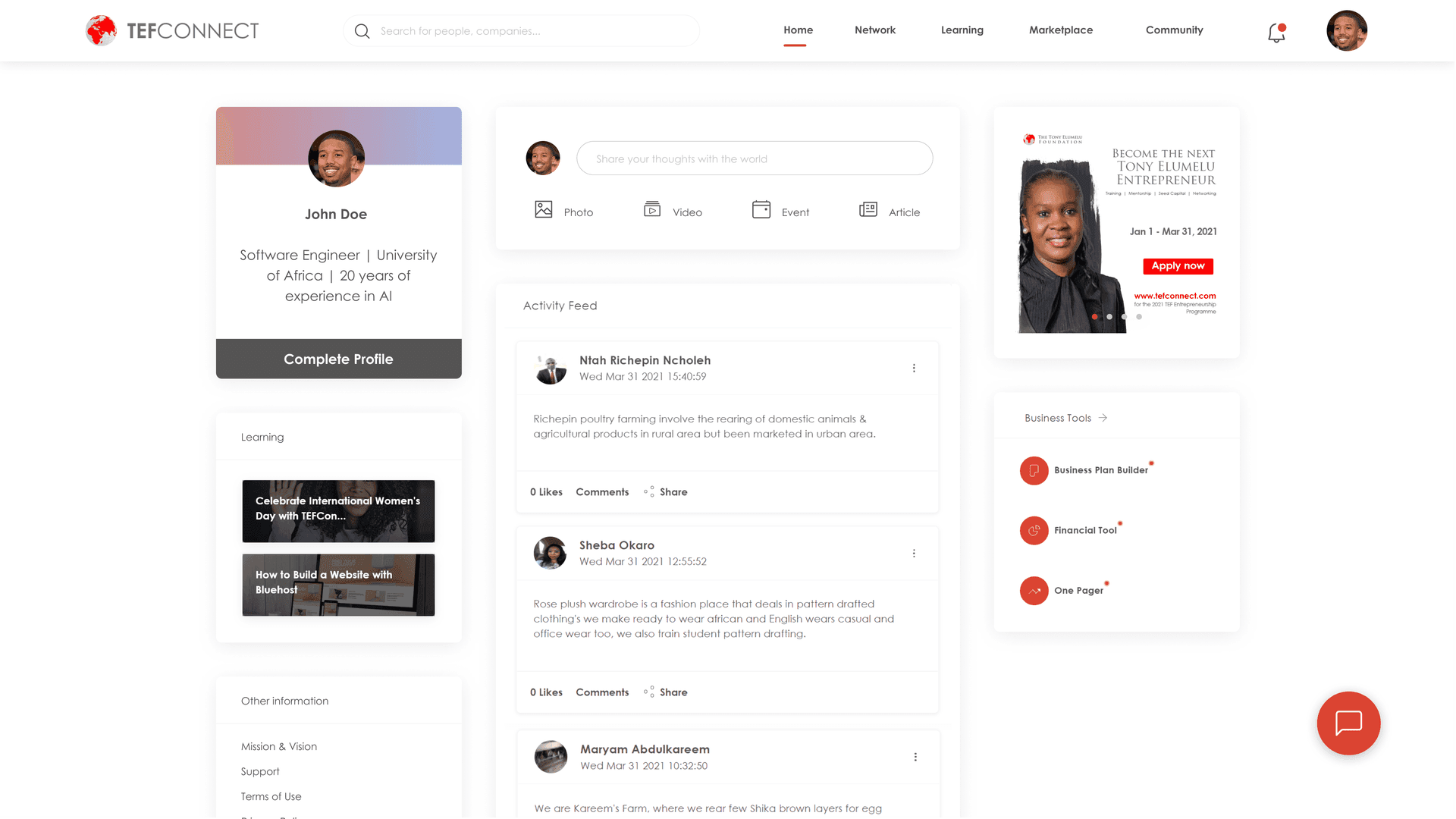
- Home feed — stripped away clutter, surfaced what users actually care about.
- Network page — completely rebuilt around discovery and connection.
This wasn't a full-site redesign — time constraints meant I had to be strategic about where to focus. But the targeted interventions paid off: users completed every task they'd previously failed at, and time-on-task dropped significantly across the board.
See full Usability Recommendation report→09 — Final Designs


“The prototype is a delightful experience!”
— Usability test participant, round 2
10 — Reflections
Reflections & what comes next
Good design is never finished
This project reinforced something I believe deeply: design is a loop, not a line. The improvements I made are a strong starting point, but the real magic happens when you keep listening to users and iterating. TEFConnect's audience is evolving, and the experience should evolve with them.
The hardest recommendation I made was also the most important: infusing the platform with a stronger human element. That's not a quick fix — it requires rethinking the product story and carefully managing the shift for existing users. But for a networking platform, trust isn't optional. It's the foundation everything else is built on.
Next case study